Structured data plays a crucial role in helping search engines understand your products. For Shopify stores with hundreds or even thousands of products, manually creating JSON-LD schema markup is not practical. The solution is to generate schema dynamically using Shopify’s Liquid templating system.
In this guide, we’ll explore the best approach to creating scalable JSON-LD schema markup for large Shopify catalogs.
Why JSON-LD Matters
JSON-LD helps search engines understand important product information such as:
- Product name
- Price
- Availability
- Brand
- Images
- Reviews
- Ratings
When implemented correctly, structured data can help your products qualify for rich results in search engines.
The Challenge
Imagine a store with:
- 1,000+ products
- Multiple variants
- Frequent price updates
- Changing inventory levels
Maintaining individual schema markup for every product page quickly becomes impossible.
Instead, Shopify developers should generate schema dynamically from product data.
Using Shopify Liquid Variables
Shopify automatically provides product information through Liquid objects.
For example:
{{ product.title }}
{{ product.description }}
{{ product.vendor }}
{{ product.price }}
{{ product.featured_image }}
These variables can be inserted directly into JSON-LD.
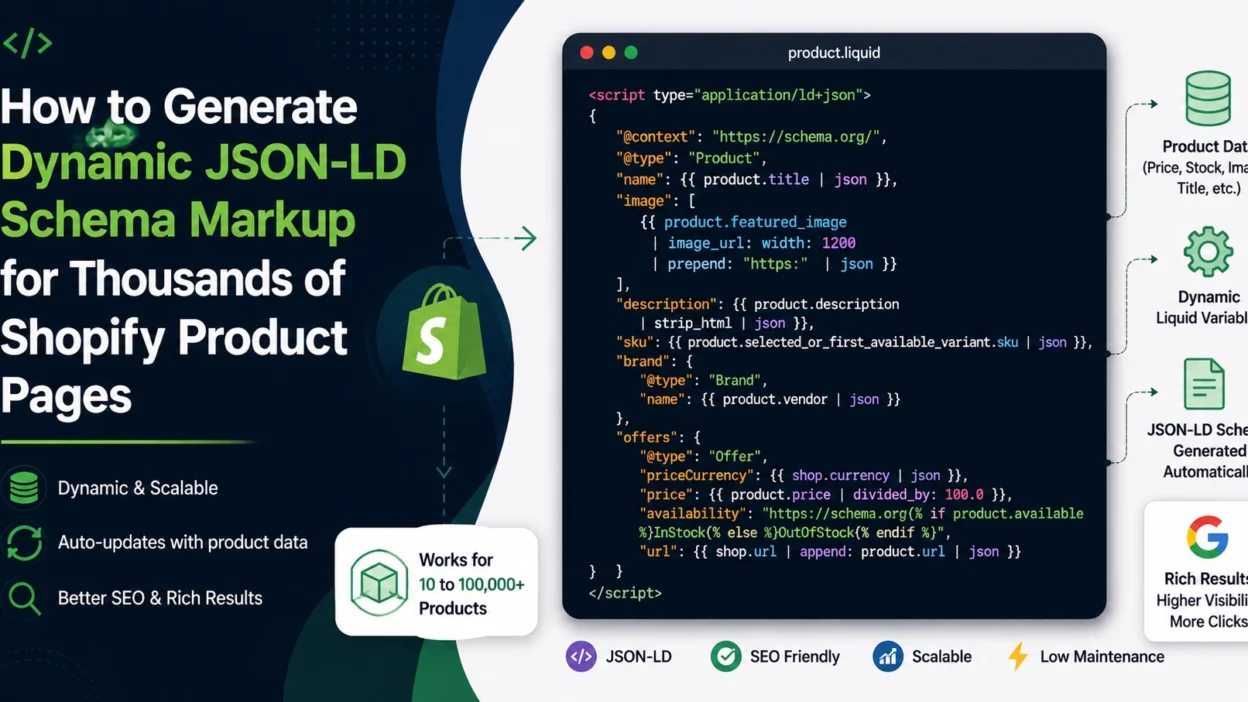
Dynamic Product Schema Example
Add the following code inside your product template:
<script type="application/ld+json">
{
  "@context": "https://schema.org/",
  "@type": "Product",
  "name": {{ product.title | json }},
  "image": [
    {{ product.featured_image | image_url: width: 1200 | prepend: "https:" | json }}
  ],
  "description": {{ product.description | strip_html | json }},
  "sku": {{ product.selected_or_first_available_variant.sku | json }},
  "brand": {
    "@type": "Brand",
    "name": {{ product.vendor | json }}
  },
  "offers": {
    "@type": "Offer",
    "priceCurrency": {{ shop.currency | json }},
    "price": {{ product.price | divided_by: 100.0 }},
    "availability": "https://schema.org/{% if product.available %}InStock{% else %}OutOfStock{% endif %}",
    "url": {{ shop.url | append: product.url | json }}
  }
}
</script>
This automatically updates for every product page without manual intervention.
Benefits of Dynamic Generation
Scalability
Whether your store has 10 products or 100,000 products, the same template works.
Automatic Updates
When product data changes:
- Price changes
- Inventory changes
- Product title updates
The schema updates automatically.
Lower Maintenance
No need to edit structured data manually for each product.
Handling Product Variants
Many Shopify stores sell products with multiple variants.
You can dynamically pull variant information:
{{ product.selected_or_first_available_variant.price }}
{{ product.selected_or_first_available_variant.sku }}
This ensures search engines receive the most relevant product details.
Adding Aggregate Ratings
If your review app provides ratings, you can include:
"aggregateRating": {
  "@type": "AggregateRating",
  "ratingValue": "4.8",
  "reviewCount": "356"
}
Many Shopify review apps expose Liquid variables that can populate these fields dynamically.
Testing Your Schema
After implementation, test product pages using:
- Google Rich Results Test
- Schema Markup Validator
Verify that:
- Prices are valid
- Availability is correct
- Images load properly
- Product names match page content
Performance Considerations
JSON-LD is lightweight and generally has minimal impact on page speed.
However, avoid:
- Duplicate schema blocks
- Excessively large review data
- Multiple conflicting Product schemas
A single clean Product schema is usually sufficient.
Best Practice for Large Shopify Stores
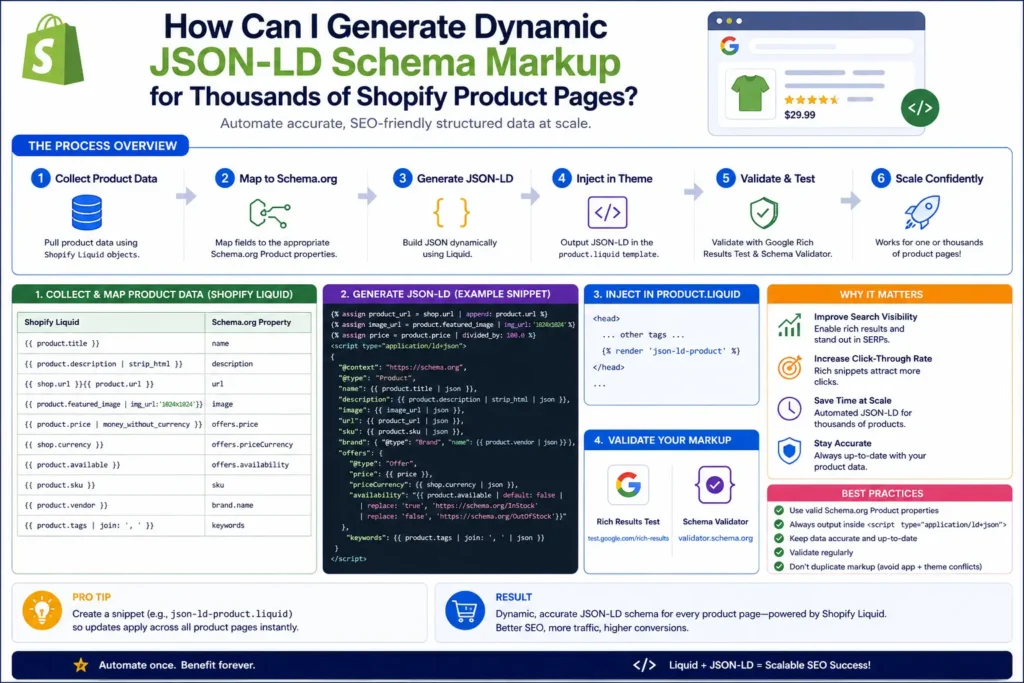
For stores with thousands of products, the recommended approach is:
- Create one JSON-LD template.
- Populate it using Shopify Liquid variables.
- Reuse the template across all product pages.
- Pull prices, inventory, and variants dynamically.
- Validate periodically using Google’s testing tools.
This ensures your structured data remains accurate, scalable, and easy to maintain.
Infographic
Conclusion
The best way to generate JSON-LD schema markup for thousands of Shopify product pages is to use Shopify’s Liquid templating system to dynamically populate schema fields from product data. This approach eliminates manual work, scales effortlessly, and ensures that structured data remains synchronized with your catalog.
For most Shopify stores, a single dynamic Product schema template can successfully power structured data across the entire product catalog while keeping maintenance requirements near zero.