When working with web scraping, HTML parsers, or document processing libraries, it’s common to convert HTML into a structured list of elements. Later, you may need to reconstruct the original HTML from that parsed representation.
So how can you convert a parsed HTML list back into valid HTML?
Understanding the Problem
Suppose an HTML document is parsed into a list-like structure:
const parsed = [
  {
    tag: "h1",
    content: "Welcome"
  },
  {
    tag: "p",
    content: "This is a paragraph."
  }
];
Desired output:
<h1>Welcome</h1>
<p>This is a paragraph.</p>
The goal is to rebuild the HTML string from the parsed data.
Basic Approach
The simplest solution is to iterate through the parsed elements and generate the corresponding HTML tags.
const html = parsed
  .map(item => `<${item.tag}>${item.content}</${item.tag}>`)
  .join("");

console.log(html);
Output:
<h1>Welcome</h1>
<p>This is a paragraph.</p>
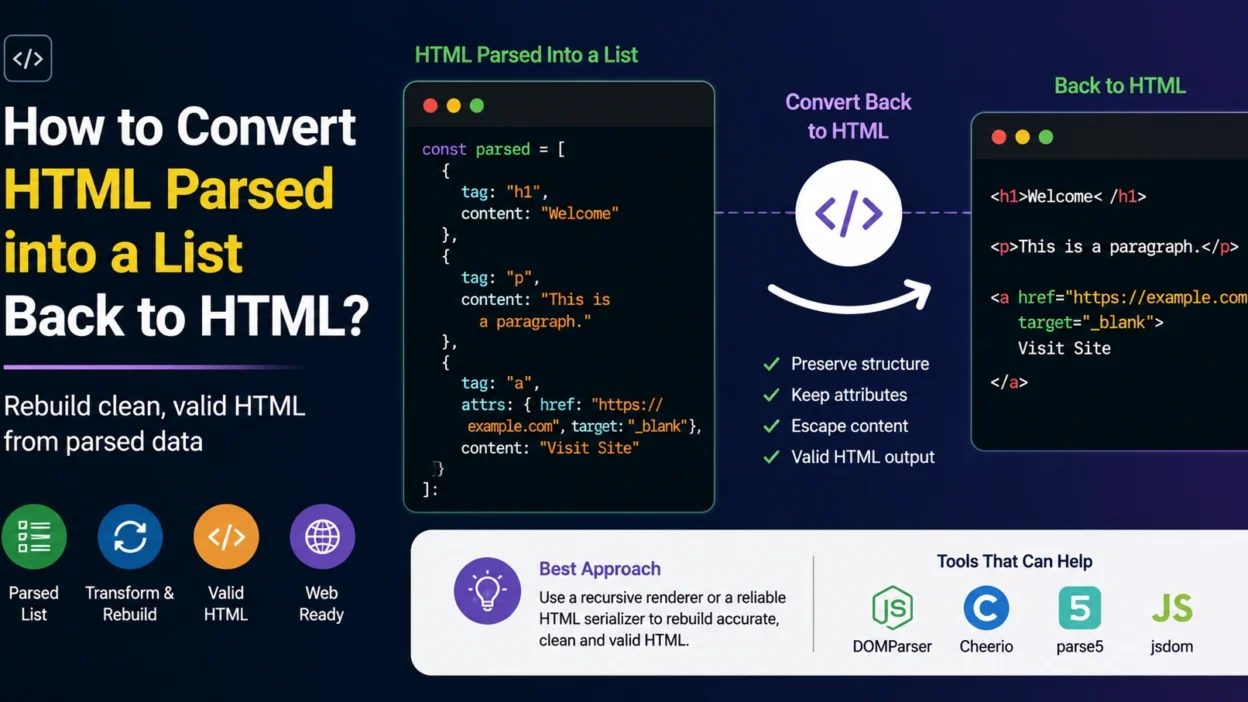
Handling Attributes
Real-world HTML often contains attributes.
Example parsed structure:
const parsed = [
  {
    tag: "a",
    attrs: {
      href: "https://example.com",
      target: "_blank"
    },
    content: "Visit Site"
  }
];
Generate HTML:
const html = parsed
  .map(item => {
    const attrs = Object.entries(item.attrs || {})
      .map(([key, value]) => `${key}="${value}"`)
      .join(" ");

    return `<${item.tag}${attrs ? " " + attrs : ""}>${item.content}</${item.tag}>`;
  })
  .join("");
Output:
<a href="https://example.com" target="_blank">
  Visit Site
</a>
Working with Nested Elements
HTML is usually hierarchical.
Parsed structure:
const parsed = {
  tag: "div",
  children: [
    {
      tag: "h2",
      content: "Title"
    },
    {
      tag: "p",
      content: "Description"
    }
  ]
};
A recursive function is often the best approach.
function render(node) {
  const children = (node.children || [])
    .map(render)
    .join("");

  const content = node.content || "";

  return `<${node.tag}>${content}${children}</${node.tag}>`;
}
Usage:
console.log(render(parsed));
Output:
<div>
  <h2>Title</h2>
  <p>Description</p>
</div>
Using DOM APIs in the Browser
If you’re already working in a browser environment, creating DOM nodes may be easier.
const element = document.createElement("h1");
element.textContent = "Welcome";

const html = element.outerHTML;
Output:
<h1>Welcome</h1>
This approach automatically handles escaping and valid HTML generation.
Libraries That Can Help
Depending on your environment, several libraries support HTML serialization:
- DOMParser
- Cheerio
- parse5
- jsdom
Most of these libraries provide methods to parse HTML into a tree structure and serialize it back into HTML.
Example using parse5:
const parse5 = require("parse5");

const document = parse5.parse(htmlString);

const html = parse5.serialize(document);
Common Pitfalls
Losing Attributes
Ensure all attributes are preserved during reconstruction.
Incorrect Nesting
Nested elements should be rebuilt recursively to maintain the correct structure.
HTML Escaping
User-generated content should be properly escaped to prevent invalid HTML and security issues.
Self-Closing Tags
Tags such as:
<img>
<br>
<input>
require special handling when generating HTML manually.
Best Practice
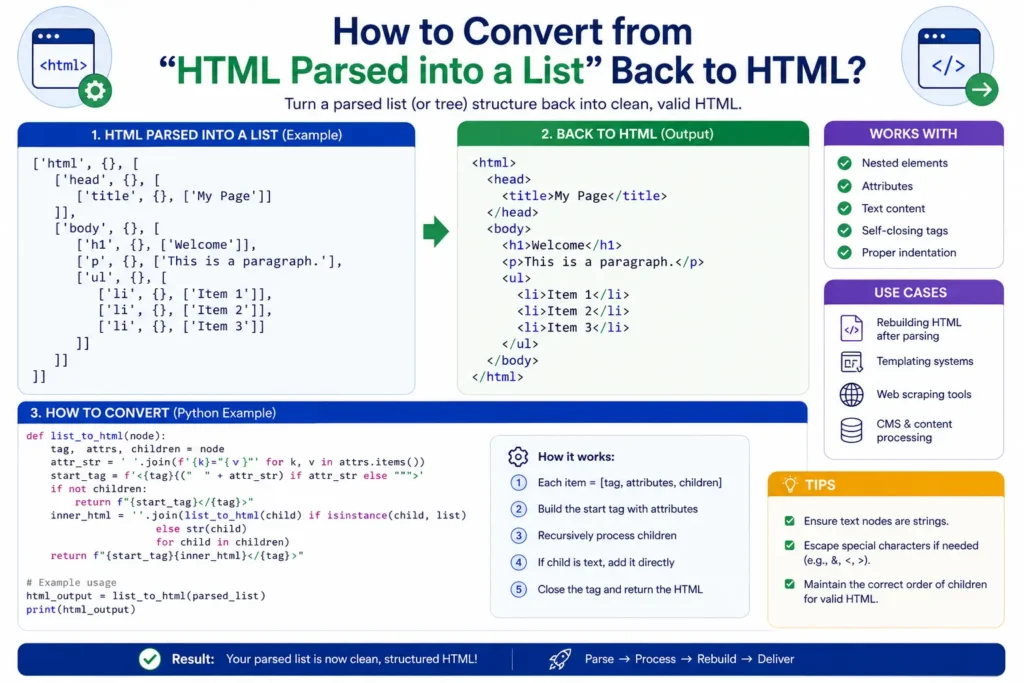
If you’re using a parsing library that originally converted HTML into a tree structure, use that library’s built-in serialization method whenever possible. It preserves attributes, nesting, special characters, and formatting more reliably than manual string concatenation.
Infographic
Conclusion
The best way to convert HTML parsed into a list back into HTML depends on the structure of your parsed data. For simple lists, mapping elements into HTML strings works well. For nested structures, a recursive renderer is typically the cleanest solution. When available, using a dedicated HTML parser’s serialization function is usually the safest and most maintainable approach.