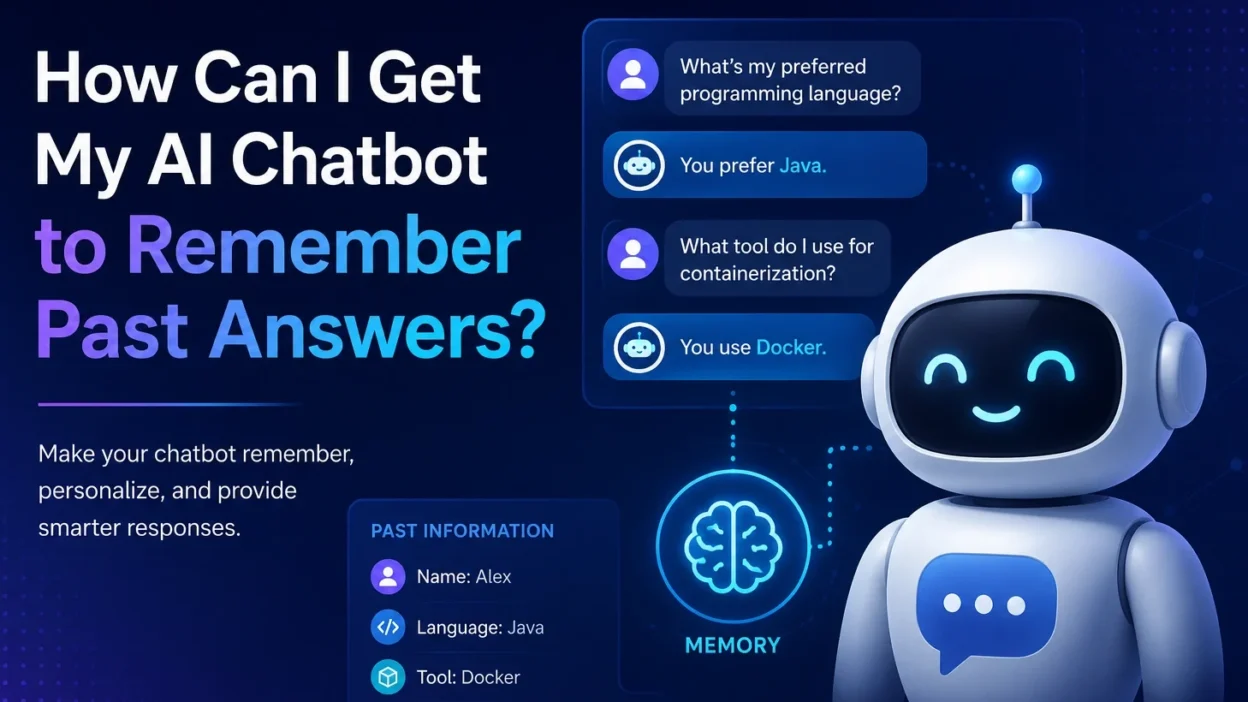
Artificial intelligence chatbots have become powerful assistants for customer support, personal productivity, education, and business automation. However, one of the most common frustrations users face is when a chatbot forgets previous conversations and asks for the same information repeatedly.
If you’ve ever wondered, “How can I get my AI chatbot to remember past answers?”, you’re not alone. The answer lies in understanding how chatbot memory works and implementing the right memory strategy.
Why AI Chatbots Forget
Most AI chatbots operate in a stateless manner. This means they process each conversation independently unless memory mechanisms are explicitly implemented.
Without memory, a chatbot may:
- Forget user preferences
- Lose conversation context between sessions
- Ask repetitive questions
- Deliver inconsistent responses
- Provide a less personalized experience
For businesses, this can negatively impact customer satisfaction and engagement.
Types of Chatbot Memory
1. Short-Term Memory
Short-term memory exists within a single conversation session. The chatbot remembers previous messages during the current interaction.
For example:
User: My name is Sarah.
Chatbot: Nice to meet you, Sarah.
Later in the same conversation:
User: What’s my name?
Chatbot: Your name is Sarah.
However, once the session ends, this information is usually lost.
2. Long-Term Memory
Long-term memory allows the chatbot to retain information across multiple sessions.
For example:
- User preferences
- Previous purchases
- Support history
- Favorite products
- Frequently asked questions
This creates a more personalized and seamless experience.
3. Semantic Memory
Semantic memory stores important facts about users rather than entire conversations.
Examples include:
- Preferred language
- Subscription plan
- Industry
- Location
- Communication preferences
Instead of storing every message, the system stores structured knowledge that remains useful over time.
Methods for Adding Memory to an AI Chatbot
Store Conversation History in a Database
One of the most common approaches is storing chat transcripts in databases such as:
- PostgreSQL
- MySQL
- MongoDB
- DynamoDB
When a user starts a new conversation, the chatbot retrieves relevant past interactions and uses them as context.
Benefits:
- Persistent memory
- Personalized interactions
- Historical insights
Challenges:
- Storage costs
- Privacy compliance
- Context management
Use Vector Databases for Context Retrieval
Modern AI systems often use Retrieval-Augmented Generation (RAG).
In this approach:
- Conversations are converted into embeddings.
- Embeddings are stored in a vector database.
- Relevant memories are retrieved when needed.
- The AI uses retrieved information to generate responses.
Popular vector databases include:
- Pinecone
- Weaviate
- Chroma
- Milvus
- Qdrant
This approach scales far better than storing entire conversation histories in prompts.
Build a User Profile Layer
Instead of remembering every conversation, create a user profile containing:
- Name
- Preferences
- Purchase history
- Interests
- Support status
The chatbot references this profile whenever it responds.
Benefits:
- Faster retrieval
- Lower token usage
- Improved personalization
Implement Memory Summarization
Long conversations can quickly exceed context limits.
A common solution is to periodically summarize interactions.
For example:
Raw conversation: 5,000 messages
Stored summary:
“User prefers technical explanations, works in cloud computing, uses Open Liberty, and is interested in Java performance optimization.”
This summary can be injected into future conversations without overwhelming the model.
Best Practices for Chatbot Memory
Remember Only What Matters
Not every message deserves permanent storage.
Store:
- Preferences
- Goals
- Account information
- Frequently referenced facts
Avoid storing:
- Temporary requests
- Sensitive personal information
- Irrelevant conversational details
Give Users Control
Users should be able to:
- View stored memories
- Edit incorrect information
- Delete memories
- Opt out of memory features
Transparency builds trust.
Respect Privacy Regulations
When storing user information, ensure compliance with:
- GDPR
- CCPA
- Industry-specific regulations
Always explain what data is stored and why.
Retrieve Memory Intelligently
More memory is not always better.
Retrieving too much information can:
- Increase latency
- Raise costs
- Introduce irrelevant context
Use semantic search to retrieve only the most relevant memories for each query.
Example Architecture
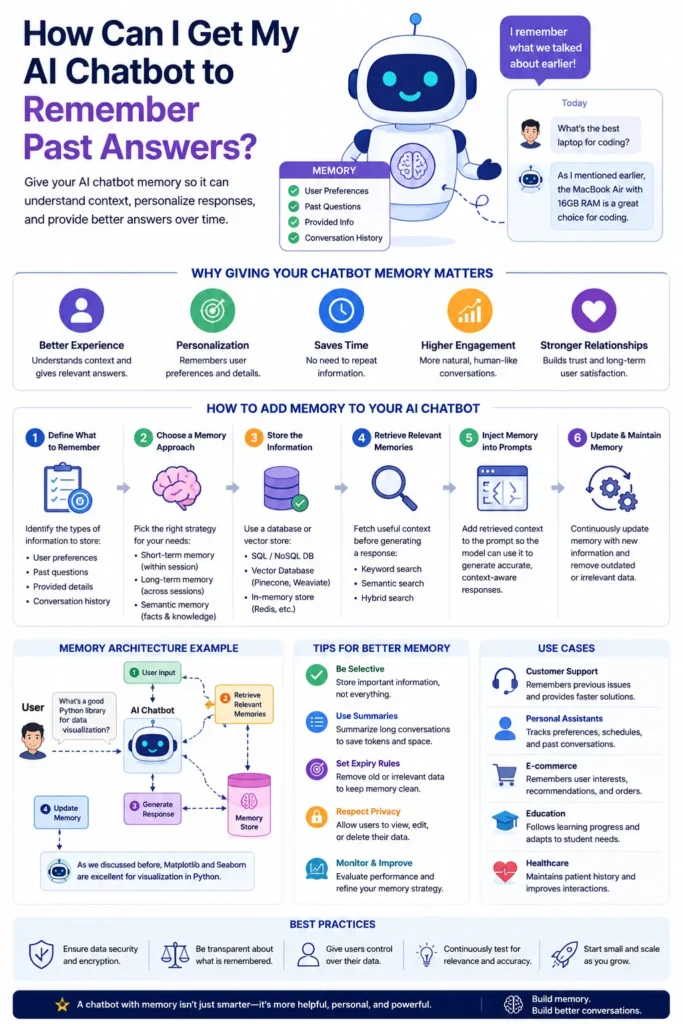
A memory-enabled chatbot might follow this workflow:
- User sends a message.
- Chat history is stored.
- Relevant memories are retrieved from a vector database.
- User profile data is loaded.
- The AI model receives:
- Current message
- Relevant memories
- User profile
- The chatbot generates a response.
- New information is summarized and saved.
This creates a chatbot that feels far more intelligent and personalized.
The Future of AI Memory
As AI systems continue to evolve, memory is becoming a core capability rather than an optional feature. Future chatbots will maintain richer user profiles, better understand long-term goals, and provide increasingly personalized experiences.
Organizations that implement effective memory systems today will deliver more engaging, efficient, and human-like interactions tomorrow.
Infographic
Conclusion
Getting an AI chatbot to remember past answers requires more than simply storing conversation logs. The most effective solutions combine conversation history, user profiles, vector databases, memory summarization, and intelligent retrieval mechanisms.
By implementing the right memory strategy, you can transform a chatbot from a short-term assistant into a long-term conversational partner that learns, adapts, and delivers personalized experiences over time.