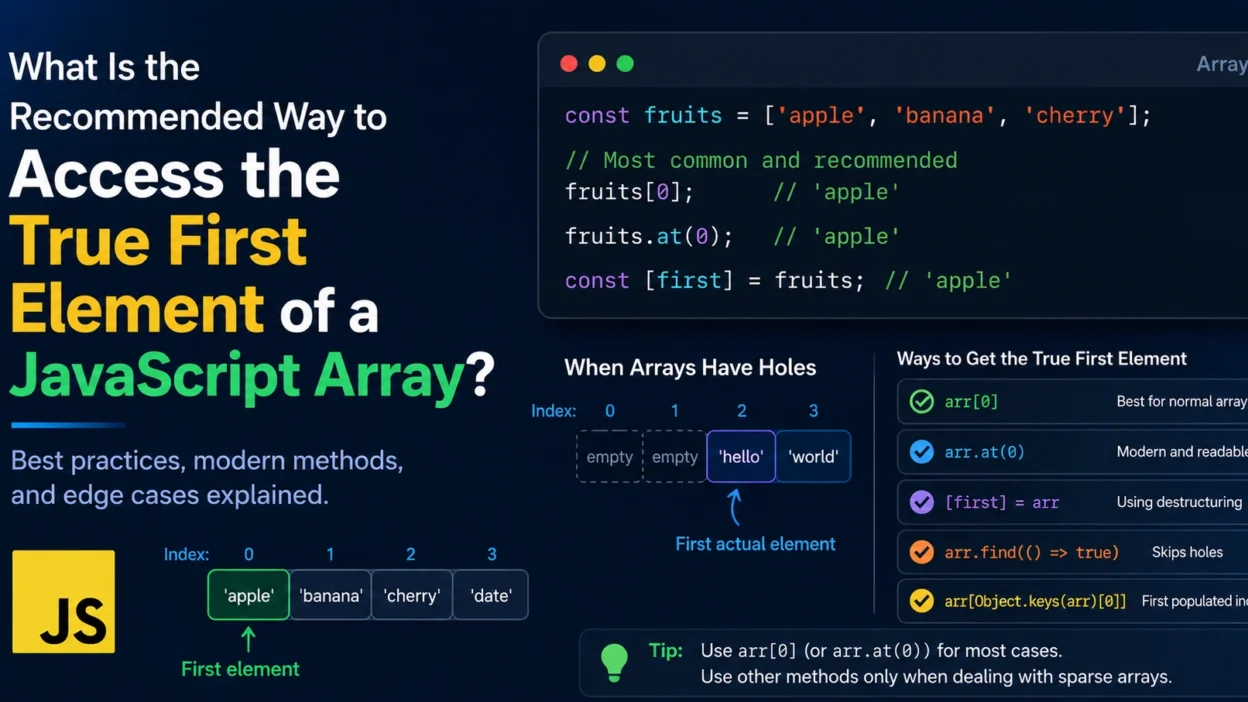
Accessing the first element of a JavaScript array seems straightforward, but there are situations where the “first element” may not be as obvious as it appears.
Arrays can contain empty slots, inherited properties, and other edge cases that may affect how you retrieve the first actual value. Understanding the recommended approaches can help you write more reliable JavaScript code.
The Standard Way
In most cases, the first element of an array is accessed using index .
const fruits = ['apple', 'banana', 'orange'];

console.log(fruits[0]);
Output:
apple
This is the most common and efficient method.
Why the “True” First Element Can Be Different
JavaScript arrays can contain holes (empty slots).
Consider:
const arr = new Array(3);

console.log(arr[0]);
Output:
undefined
Although arr[0] returns undefined, no actual element exists at index 0.
You can verify this:
console.log(0 in arr);
Output:
false
The array has a length of 3 but contains no real values.
Finding the First Existing Element
If you need the first actual element that exists in the array, regardless of holes, you can use:
const firstValue = arr.find(() => true);
Example:
const arr = [, , 'hello', 'world'];

console.log(arr.find(() => true));
Output:
hello
This skips empty slots and returns the first existing value.
Using Array.keys()
Another option is locating the first populated index.
const arr = [, , 'hello'];

const firstIndex = Object.keys(arr)[0];

console.log(arr[firstIndex]);
Output:
hello
This works because Object.keys() only includes indexes that actually exist.
Accessing the First Element in Modern JavaScript
Modern JavaScript introduced the at() method.
const arr = ['apple', 'banana'];

console.log(arr.at(0));
Output:
apple
Benefits include:
- Consistent syntax
- Support for negative indexes
- Improved readability in some cases
Example:
arr.at(-1);
returns the last element.
Destructuring Assignment
Another elegant approach is destructuring.
const [first] = arr;
Example:
const colors = ['red', 'green', 'blue'];

const [first] = colors;

console.log(first);
Output:
red
This is especially useful when extracting multiple values.
Comparing Common Methods
| Method | Best For |
|---|---|
arr[0] | Standard arrays |
arr.at(0) | Modern readable syntax |
[first] = arr | Destructuring assignments |
find(() => true) | Skipping holes |
Object.keys() approach | Finding first populated index |
Performance Considerations
For normal arrays:
arr[0]
is the fastest and most direct solution.
Methods such as:
arr.find(...)
or
Object.keys(arr)
perform additional work and should only be used when handling sparse arrays or special edge cases.
Common Mistakes
Assuming Undefined Means No Element
const arr = [undefined];

console.log(arr[0]);
Output:
undefined
Here, an element actually exists.
Check with:
0 in arr
to determine whether the index is present.
Ignoring Sparse Arrays
const arr = [, , 'test'];
Using:
arr[0]
returns undefined, but it is not the first actual stored value.
Overcomplicating Normal Cases
For most applications:
arr[0]
is perfectly correct and recommended.
There’s no need for more complex approaches unless you’re specifically dealing with sparse arrays.
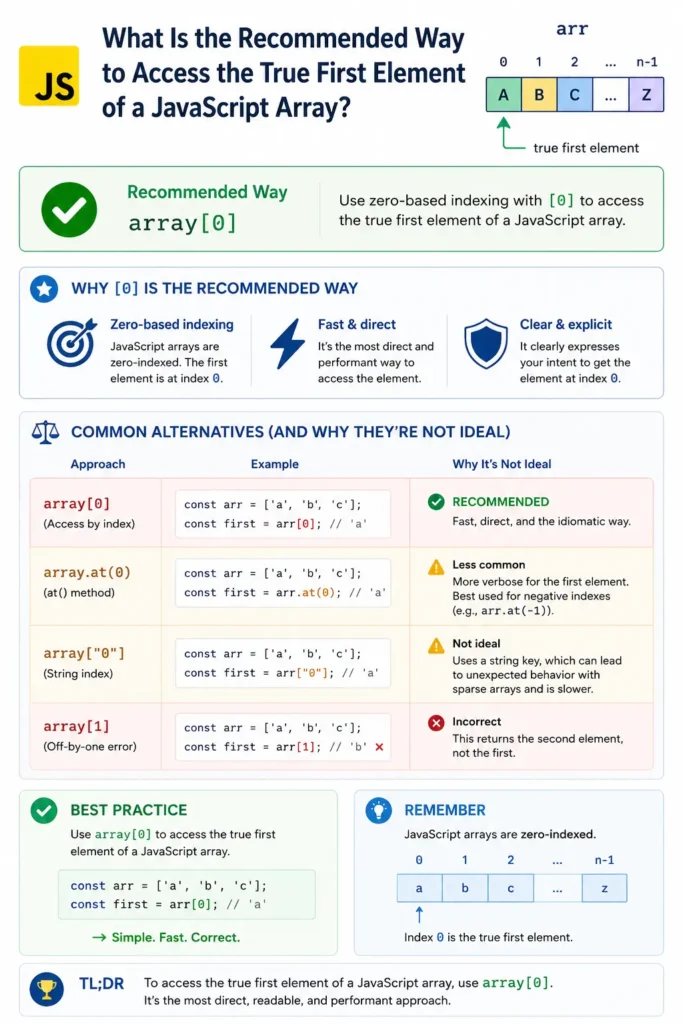
Infographic
Conclusion
The recommended way to access the first element of a JavaScript array is usually:
arr[0]
or, in modern JavaScript:
arr.at(0)
However, if you’re working with sparse arrays and need the first actual stored value rather than the value at index 0, methods like find(() => true) or checking populated indexes may be more appropriate.
Choosing the right approach depends on whether you’re dealing with ordinary arrays or edge cases involving holes and missing elements.