When using esbuild, one of the most important configuration options is the target property. It tells esbuild which JavaScript environments your code needs to support, allowing it to transform modern syntax into versions compatible with older browsers or runtime environments.
If you’re wondering where to find the complete list of valid values for the target property, this guide will explain everything you need to know.
What Is the “target” Property?
The target option specifies the JavaScript language level or runtime versions that esbuild should compile for.
For example:
require('esbuild').build({
  entryPoints: ['app.js'],
  bundle: true,
  target: 'es2018',
  outfile: 'bundle.js'
});
In this configuration, esbuild transforms code so it works in environments that support ECMAScript 2018.
Where Is the Official List?
The official list of valid target values can be found in the esbuild documentation under the API reference section.
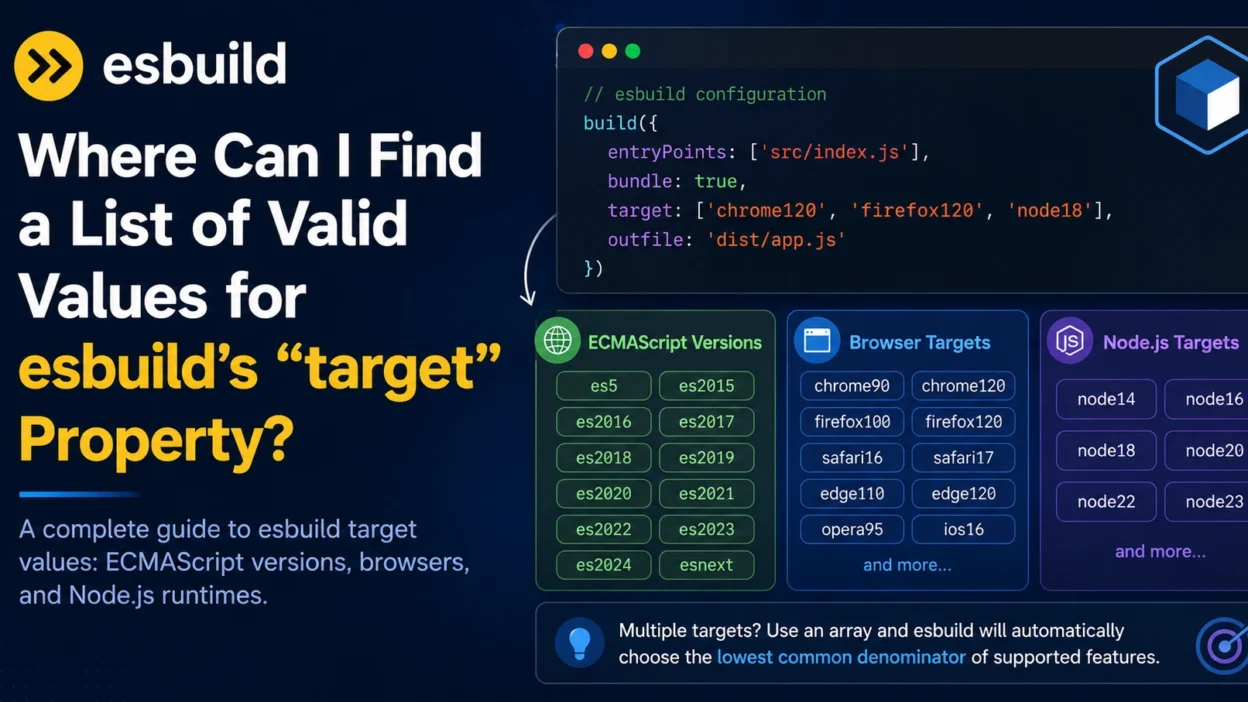
esbuild supports two main categories:
ECMAScript Versions
These targets represent JavaScript language editions:
es5
es2015
es2016
es2017
es2018
es2019
es2020
es2021
es2022
es2023
es2024
esnext
Examples:
target: 'es2017'
target: 'es2020'
target: 'esnext'
The special value esnext tells esbuild to assume support for the latest JavaScript features and perform minimal transpilation.
Browser Targets
Instead of targeting language versions directly, you can target specific browsers.
Examples include:
chrome90
chrome120
firefox100
safari16
edge110
opera95
ios16
Example:
target: ['chrome110', 'firefox110']
esbuild will generate output compatible with both browsers.
Node.js Targets
You can also target specific Node.js versions.
Examples:
node14
node16
node18
node20
node22
Example:
target: 'node18'
This is especially useful when building server-side applications.
Combining Multiple Targets
Multiple targets can be specified as an array:
target: [
  'chrome110',
  'firefox110',
  'safari16'
]
esbuild uses the lowest common denominator of supported features across all specified targets.
How to Check Which Target You Need
A good rule of thumb is:
| Environment | Recommended Target |
|---|---|
| Modern Browsers | es2020 or newer |
| Legacy Browser Support | es2017 or lower |
| Node.js 18+ | node18 |
| Node.js 20+ | node20 |
| Latest Features Only | esnext |
Your choice depends on the oldest environment you need to support.
Example Build Configuration
const esbuild = require('esbuild');

esbuild.build({
  entryPoints: ['src/index.js'],
  bundle: true,
  outfile: 'dist/app.js',
  target: ['chrome120', 'firefox120', 'safari17']
});
This produces output optimized for modern browsers while preserving compatibility across the specified versions.
Common Mistakes
Using an Unsupported Version
For example:
target: 'chrome999'
This will fail because esbuild only recognizes valid runtime version identifiers.
Assuming Target Controls Polyfills
The target option only transforms syntax.
It does not automatically add missing APIs or polyfills.
For example:
Array.prototype.flat()
may still require a polyfill even if syntax transpilation succeeds.
Using esnext for Production Without Testing
While esnext can produce smaller bundles, older browsers may not understand the generated code.
Always verify your audience’s browser requirements before choosing this target.
How esbuild Uses Targets Internally
esbuild maintains compatibility tables for browsers and JavaScript runtimes.
When a target is specified, esbuild determines:
- Which syntax can remain unchanged
- Which syntax must be transformed
- Which optimizations are safe to apply
This allows esbuild to generate highly optimized bundles while maintaining compatibility with the environments you specify.
Infographic
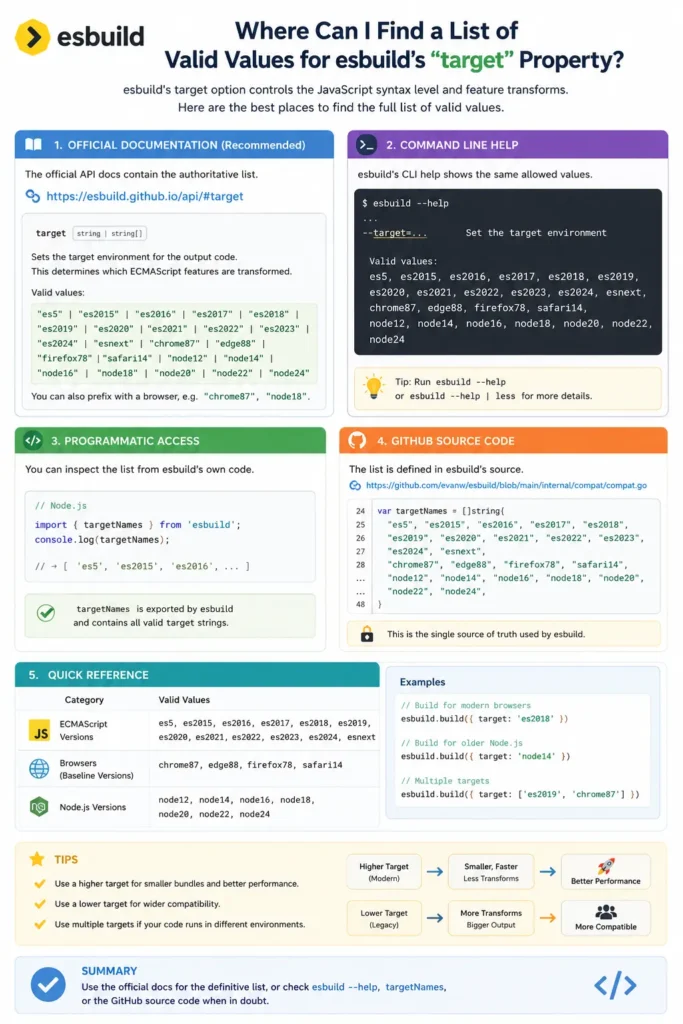
Conclusion
The valid values for esbuild’s target property include ECMAScript versions such as es2018 and es2020, browser-specific targets such as chrome120 and firefox120, and Node.js targets such as node18 and node20.
The official esbuild documentation provides the most up-to-date list, but understanding the categories and use cases can help you choose the right target for your project and avoid compatibility issues.