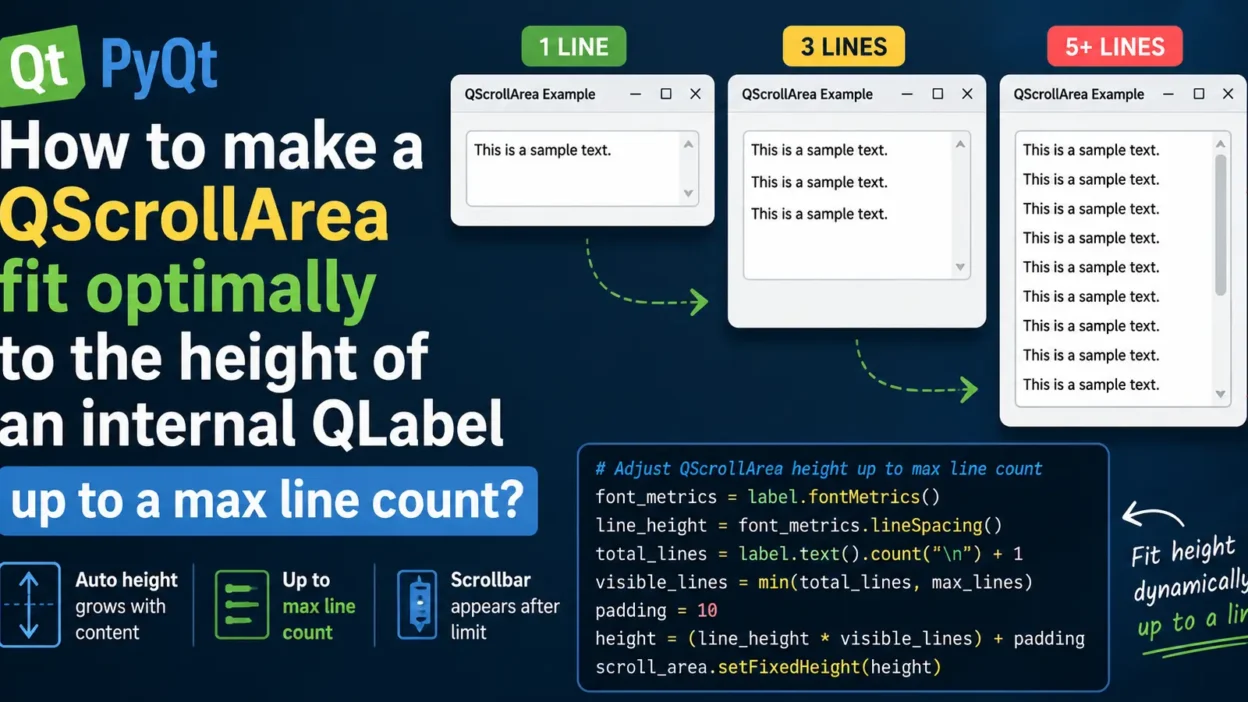
When building GUI applications using PyQt or PySide, you may want a QScrollArea to automatically resize itself based on the content inside a QLabel.
A common requirement is:
- The scroll area should grow with the label content
- But only up to a certain number of lines
- After reaching the maximum height, scrolling should activate automatically
In this tutorial, we’ll learn how to make a QScrollArea fit optimally to the height of an internal QLabel up to a maximum line count.
Why This is Useful
This approach is helpful for:
- Chat applications
- Log viewers
- Notification panels
- Dynamic text displays
- Message previews
Instead of wasting space with a large scroll area, the widget intelligently adjusts itself.
Example Goal
We want behavior like this:
| Text Length | Scroll Area Height |
|---|---|
| 1 line | Small height |
| 3 lines | Medium height |
| 5+ lines | Fixed max height with scrollbar |
Basic Setup
First, create:
QLabelQScrollArea- Layout container
from PyQt5.QtWidgets import (
    QApplication, QWidget, QLabel,
    QVBoxLayout, QScrollArea
)

from PyQt5.QtCore import Qt
import sys
Full Working Example
from PyQt5.QtWidgets import (
    QApplication, QWidget, QLabel,
    QVBoxLayout, QScrollArea
)

from PyQt5.QtCore import Qt
import sys


class Window(QWidget):
    def __init__(self):
        super().__init__()

        self.setWindowTitle("Dynamic QScrollArea Height")

        layout = QVBoxLayout()

        text = (
            "This is a very long text.\n" * 10
        )

        self.label = QLabel(text)
        self.label.setWordWrap(True)

        self.scroll = QScrollArea()
        self.scroll.setWidgetResizable(True)
        self.scroll.setWidget(self.label)

        self.adjust_scroll_height(max_lines=5)

        layout.addWidget(self.scroll)
        self.setLayout(layout)

    def adjust_scroll_height(self, max_lines=5):

        font_metrics = self.label.fontMetrics()

        line_height = font_metrics.lineSpacing()

        total_lines = self.label.text().count("\n") + 1

        visible_lines = min(total_lines, max_lines)

        padding = 10

        height = (line_height * visible_lines) + padding

        self.scroll.setFixedHeight(height)


app = QApplication(sys.argv)

window = Window()
window.show()

sys.exit(app.exec_())
How This Works
The important part is:
line_height = font_metrics.lineSpacing()
This gets the pixel height of one text line.
Then:
visible_lines = min(total_lines, max_lines)
This ensures the widget never exceeds the maximum number of lines.
Finally:
self.scroll.setFixedHeight(height)
sets the optimal scroll area height.
What Happens When Text Gets Bigger?
If the label contains:
- fewer than 5 lines → widget expands naturally
- more than 5 lines → scrollbar appears automatically
This creates a clean responsive UI.
Optional Improvement: Dynamic Resize on Text Change
If your label text changes dynamically, simply call:
self.adjust_scroll_height()
after updating the label text.
Example:
self.label.setText(new_text)
self.adjust_scroll_height()
Alternative Method Using documentSize()
For more accurate text height calculations, especially with rich text or HTML formatting, you can use:
document_height = self.label.sizeHint().height()
This works well when using complex wrapped text.
Common Mistakes
1. Forgetting setWordWrap(True)
Without word wrapping, height calculations may fail.
self.label.setWordWrap(True)
2. Not Enabling Widget Resizing
Always use:
self.scroll.setWidgetResizable(True)
Otherwise the scroll area may behave incorrectly.
Infographic
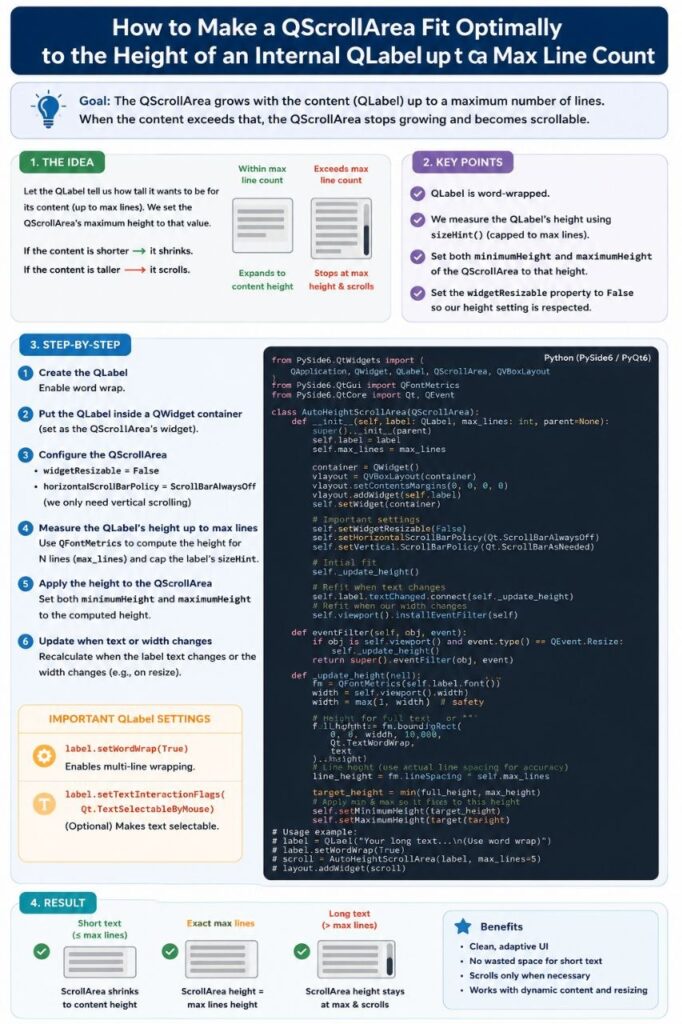
Conclusion
Making a QScrollArea automatically fit the height of a QLabel creates cleaner and more responsive PyQt interfaces.
The best approach is:
- Calculate line height using
fontMetrics - Limit visible lines with
min() - Set a maximum scroll area height
- Let scrolling handle overflow automatically
This technique is lightweight, efficient, and perfect for modern GUI applications.
Happy Coding!